 Pace
Pace
A routine timer that corrects itself
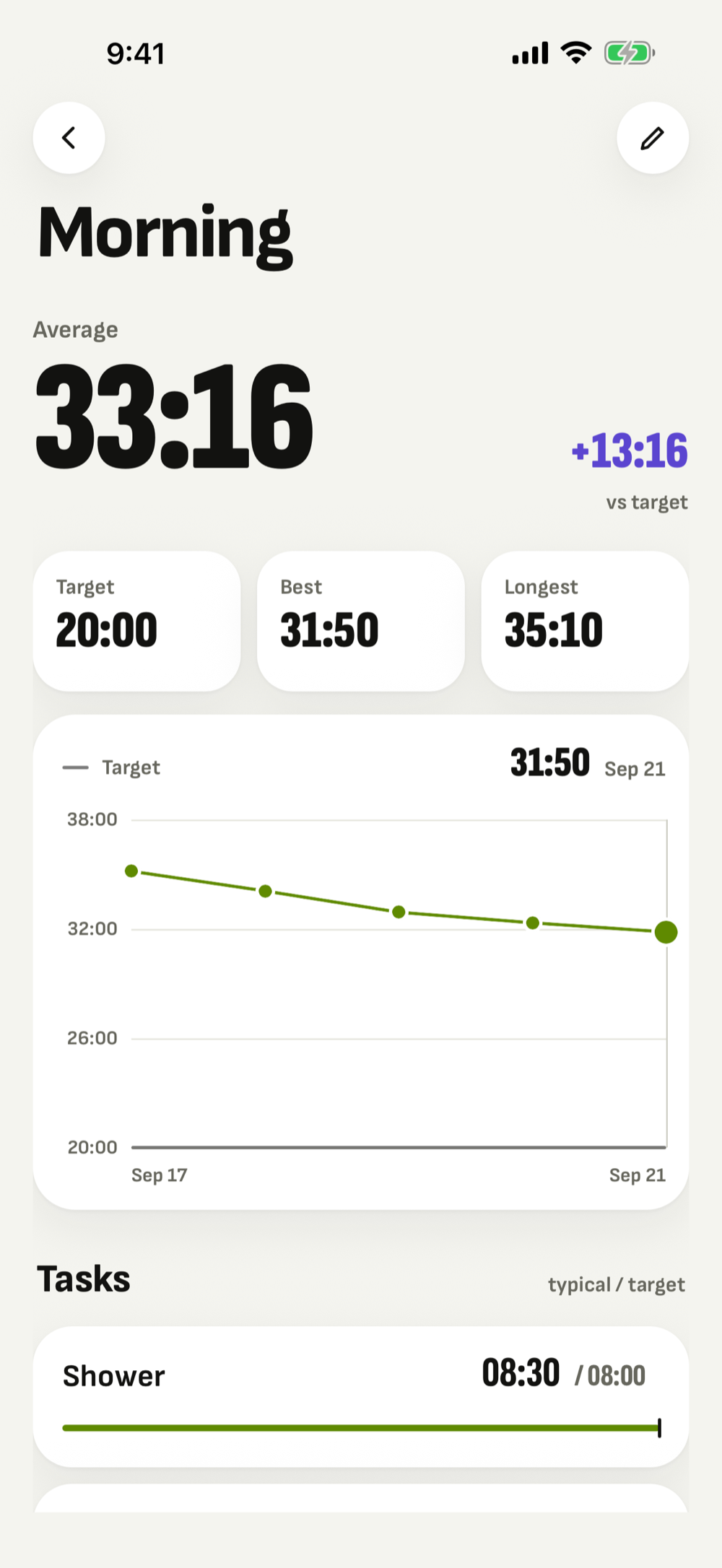
Your morning takes 33 minutes.
You planned 20.
Pace times each step of a routine, learns what it really takes, and then offers you a target you can actually hit — one tap at a time.
Time blindness is a measurement problem
Most routine apps ask you to guess how long something takes, then quietly let you be wrong forever. Pace does the opposite. It measures. Every run records what each step actually took, and once a step has drifted far enough from its target for long enough, Pace offers you a corrected number.
You accept it or you dismiss it. Accept a few and the routine stops being a wish and starts being a plan — one that finishes when it says it will.
The suggestion is not a nag. Pace only offers a correction when the median of your recent runs sits more than ten per cent away from the target. One card, on the step that is actually wrong, rather than a screen full of advice.
How it works
Build a routine
A few named steps, each with a target time. Shower eight minutes, breakfast five, pack the bag three.
Run it
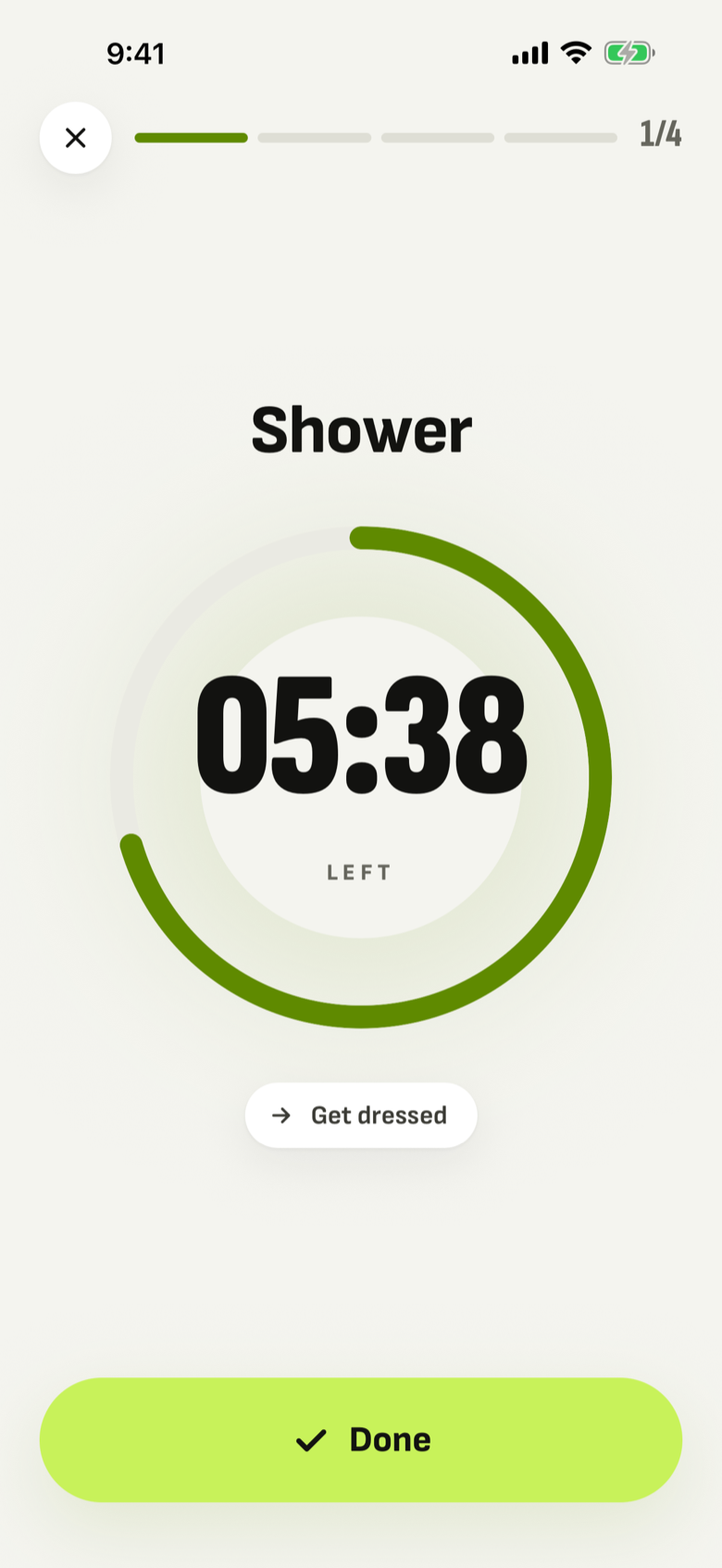
One big ring, one step at a time. Go over and the screen turns, quietly, so you know without having to read anything.
See what it really took
Target, average, best and longest, plus a breakdown of every step against the time you gave it.
Accept the correction
Pace proposes a new target for the step that drifted. One tap moves it, and the history stays intact so you can see the whole path.
What it looks like
One step at a time
A run is one number and one ring. The step you are on fills the screen, the next one waits its turn, and the routine's own progress sits above it as a thin line — so a glance from across the room tells you where you are.
Go past the target and nothing stops. The screen shifts colour and the timer counts upward instead of down, because running over is information, not a failure.
iPhone, showing a run in progress.
The correction, offered once
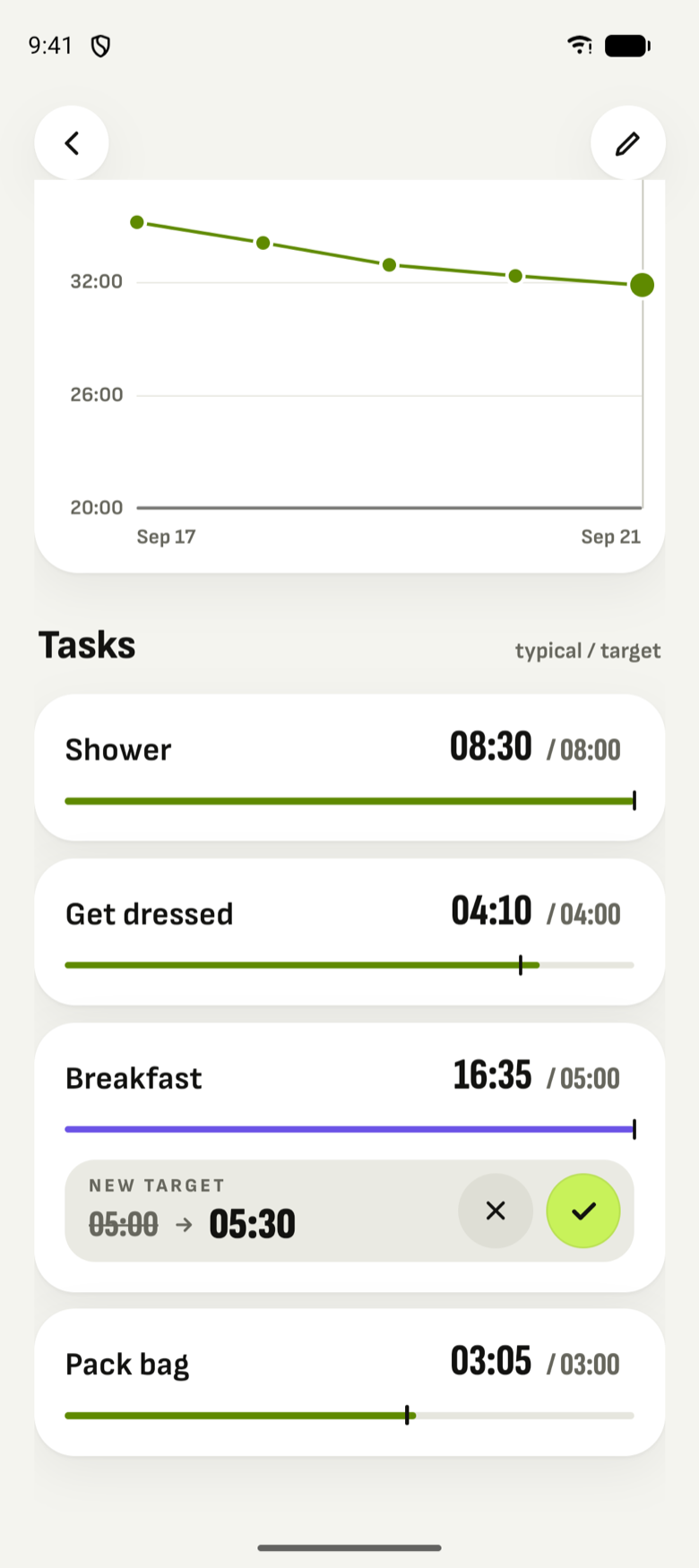
After a few runs Pace has enough to say something useful. It takes the median of your recent times for a step, compares it against the target you set, and if it has drifted more than ten per cent it offers a new number.
One card, on the step that is actually wrong. Accept it and the target moves; your history stays exactly as it was, so you can see the whole path afterwards.
Android, showing a corrected target for breakfast.
It keeps you turning up
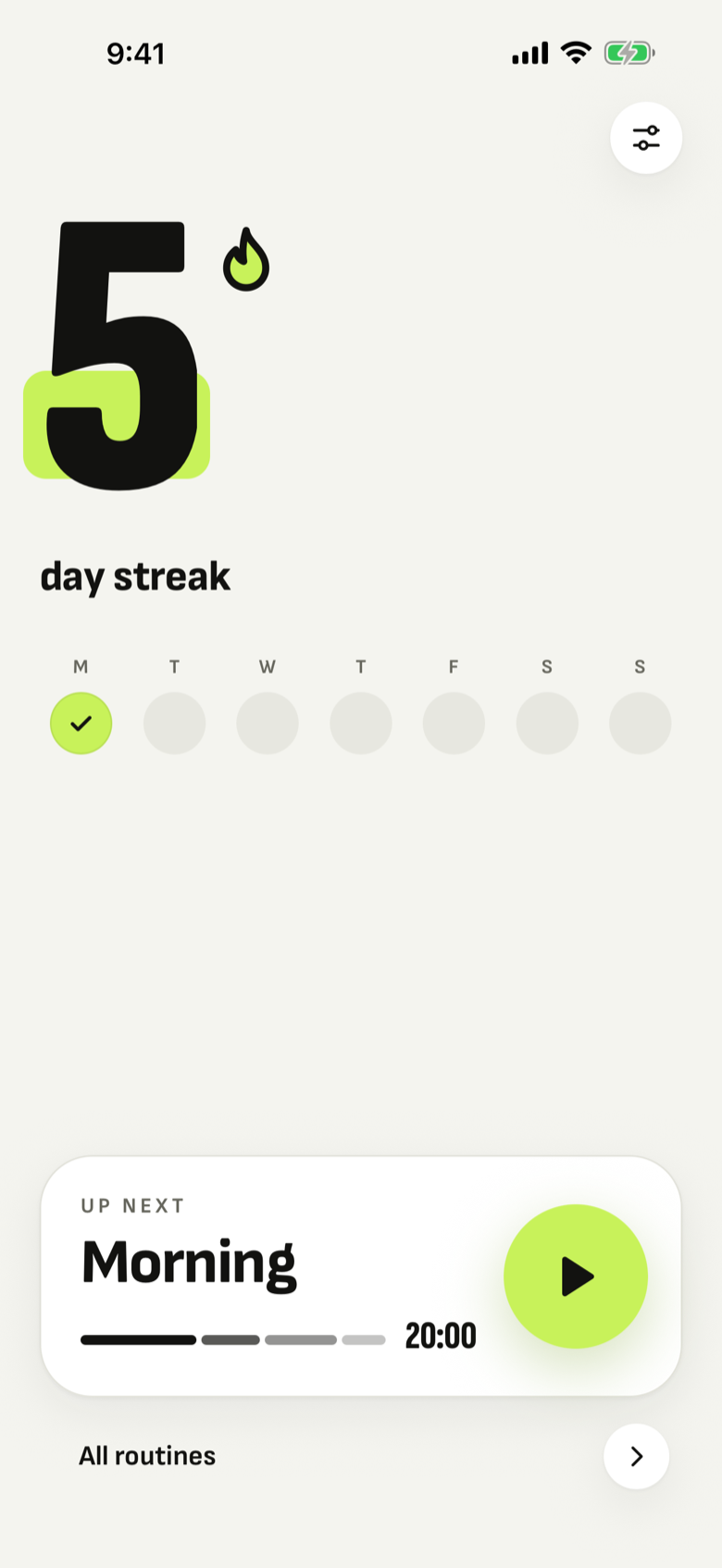
Finish a routine and the day counts. The streak on the home screen is the number of days in a row you have done it, and the week strip underneath shows the last seven at a glance — so the habit is a thing you can see rather than a thing you are trying to remember.
Miss a day and nothing scolds you. There is no lost-progress screen, no guilt copy and no notification designed to make you anxious; the count simply starts again, and Pace sends two quiet nudges a week and nothing else.
iPhone, showing a five-day streak.
Free, and what Pro adds
One routine is free forever, and it is the whole app: unlimited runs, every statistic, the full per-step breakdown, every corrected target, the streak and the notifications. No account and no card to start.
Pace Pro adds two things — as many routines as you want, and the progress chart that plots every run over time.
Free
$0
One routine, forever. No account, no card.
Monthly
$3.99
per month, after a 3-day free trial
Yearly
$29.99
per year, after the same 3-day free trial
Lifetime
$49.99
once. No subscription, no expiry
Prices are in US dollars and are set per storefront, so what you see in the App Store or on Google Play is the price in your own currency. All three paid plans unlock exactly the same thing. Subscriptions renew until you cancel; see the Terms of Use.
It stays on your phone
Pace has no account, no sign-up and no server of its own. Your routines, your times and your history are written to your device and stay there. There is no analytics, no tracking and no advertising in the app, and nothing you record is ever uploaded.
The one exception is a purchase. If you buy Pro, the transaction goes through Apple or Google and is managed by RevenueCat, who can see that a purchase happened — never what is in your routines. The privacy policy sets that out in full.
Pace works offline. Once you are Pro, it keeps working with no connection at all.
In your language
Pace is translated into 25 languages, including the plural rules that most apps get wrong — Czech and Polish count differently, Greek drops its accent in capitals, and Turkish has a dotted capital I. The app picks up whatever your device is set to.